Replace Your Productivity Stack With One Tab
Replace Your Productivity Stack With One Tab

Summary at a Glance
Below is a quick overview of how consolidating your productivity tools into a single tab can streamline your workflow, reduce costs, and eliminate the friction of switching between multiple apps.
| Area | Point | Why it matters |
|---|---|---|
| Consolidation | Eliminate app switching chaos with single-tab solution | Saves hours weekly on context switching |
| Features | Replace 5+ paid apps with unified platform capabilities | Reduces subscription costs significantly |
| Migration | Step-by-step plan to move existing workflows seamlessly | Minimizes disruption during transition period |
| Reliability | Offline access, security, and data protection guaranteed | Ensures productivity continues without internet |
Why rethink your productivity stack
Most of us are drowning in apps. Between task managers, calendars, note-taking platforms, and timers, your digital workspace has become fragmented—and expensive. The real question isn't whether you need better tools; it's whether you need so many of them. Rethinking your productivity stack means asking: what if everything you need was accessible in one place, without the friction, cost, or cognitive overhead?
This section explores why the multi-app approach is holding you back and how consolidating into a single, unified workspace can transform both your workflow and your budget.
The cost and cognitive load of multiple apps
Most professionals subscribe to 5–8 productivity apps simultaneously, each demanding a monthly or annual fee. Todoist, Notion, Evernote, Toggl, Slack, Google Calendar—the list grows quickly, and so does your bill. But the real cost isn't just financial; it's cognitive.
Every time you switch between apps, you lose focus. Researchers call this "context switching tax"—and it compounds throughout your day. You're not just paying for software; you're paying in lost productivity, fragmented attention, and mental energy spent remembering which tool does what.
Actionable Tip: Audit your current subscriptions this week. List every productivity app you pay for and note how often you actually use it. Most people discover they're paying for tools they've forgotten about entirely.
Hidden costs: subscriptions, context switching, and time lost
The sticker price of your productivity stack is just the beginning. Consider the full picture:
- Subscription creep: $12/month × 6 apps = $72/month or $864/year
- Sync delays: Data scattered across platforms means manual updates and duplicated effort
- Onboarding friction: Each new app requires setup, learning, and integration time
- Decision fatigue: Choosing which app to use for each task drains mental energy
For remote workers and freelancers, these inefficiencies compound. You're already managing your own schedule, clients, and deliverables—the last thing you need is wrestling with disconnected tools.
The potential of a single new-tab workspace
Imagine opening a new tab and seeing everything you need: today's tasks, your calendar, active timers, quick notes, and key metrics—all in one glance. No app switching. No sync delays. No subscription juggling.
This is the promise of consolidating your productivity stack. A unified dashboard that appears every time you open a new tab eliminates friction at the point where you're already spending time. With Cuslr, you replace 5+ paid apps with one $36/year solution that syncs across devices in under 2 seconds and works offline-first, so your data stays yours and your productivity never stalls.
The potential isn't just financial—it's psychological. One workspace means one mental model, one login, and one place to build your routine.
Why Cuslr is built to replace your scattered apps
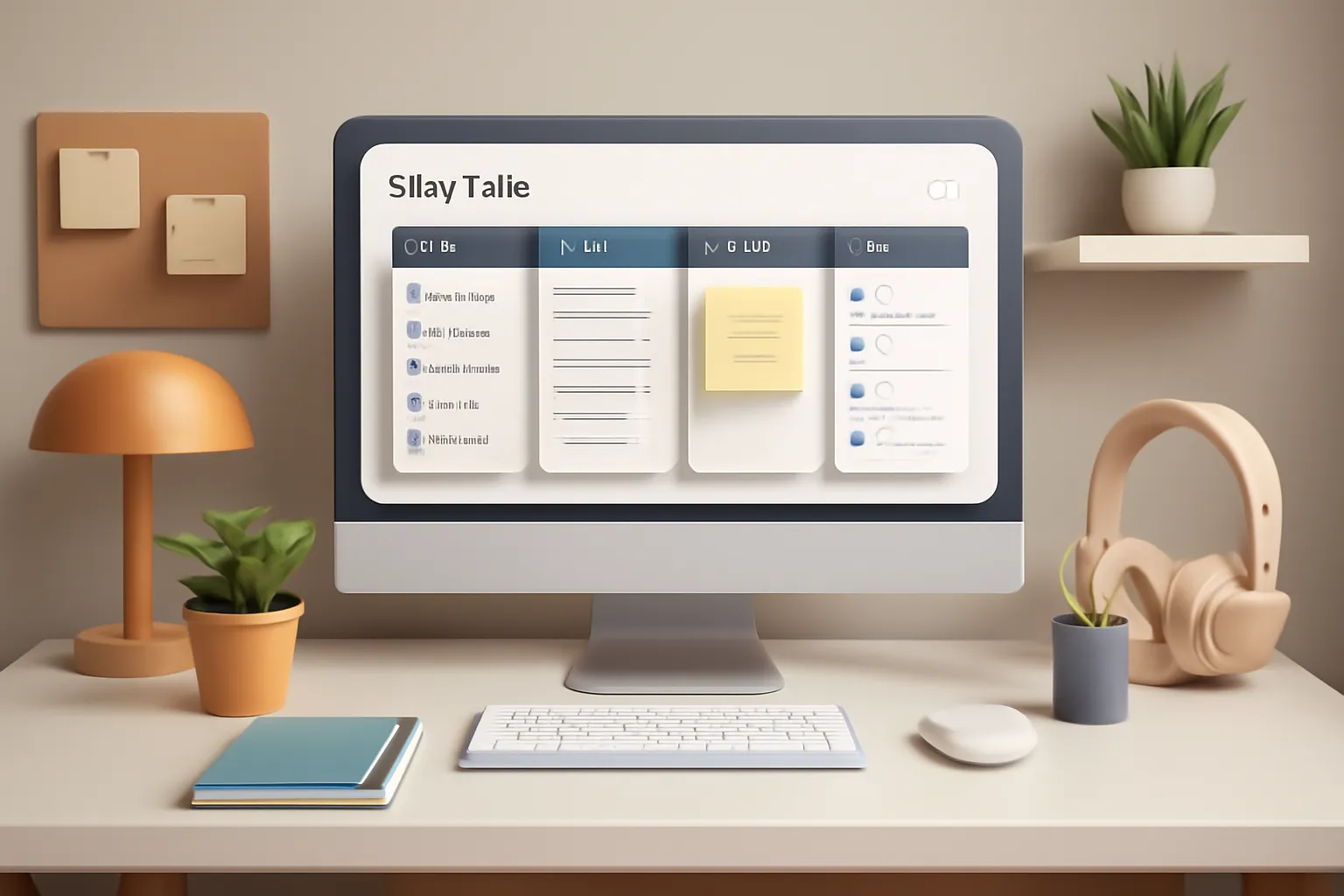
Every time you open your browser, you're faced with a choice: jump between five different apps or lose track of what matters. Cuslr was built to eliminate that friction. Instead of paying $50+ monthly for disconnected tools, you get one unified dashboard that lives in your new tab—always accessible, always in sync, and designed to replace your entire productivity stack.
The core insight is simple: your browser is already open. Why not make it your command center?
Cuslr's core promise and target users
Cuslr targets anyone tired of app fatigue—remote workers, freelancers, students, and productivity enthusiasts who want to consolidate their digital workspace without sacrificing functionality. The promise is direct: replace 5+ paid apps with one $36/year Standard plan and save $420+ annually while actually improving your workflow.
This isn't about doing less. It's about doing more with less friction, fewer subscriptions, and one beautiful interface you'll actually want to use every day.
12 essential productivity widgets and how they map to standalone apps
Cuslr's 12 essential productivity widgets replace the tools cluttering your app drawer:
- Task management (replaces Todoist, Microsoft To Do)
- Calendar integration (replaces standalone calendar apps)
- Notes & quick capture (replaces Evernote, OneNote)
- Timer & focus tools (replaces Toggl, Forest)
- Utilities (weather, clock, quick links, and more)
Each widget is designed to handle the 80% of work you actually do daily. You're not getting bloated features you'll never use—just the essentials, beautifully organized and instantly accessible.
Offline-first architecture, local-first data storage, and cross-device sync in under 2 seconds
Cuslr's technical foundation ensures your productivity never depends on internet connectivity. The offline-first architecture means you can capture tasks, write notes, and manage your day even when offline. Your data lives locally first—on your device—giving you complete control and privacy.
When you reconnect, cross-device sync in under 2 seconds means your updates flow seamlessly across your laptop, tablet, and phone. No waiting. No confusion about which version is current. Two desktop workspaces let you segment your focus—one for deep work, one for everything else.
Actionable Tip: Start by auditing your current app subscriptions. List every tool you pay for monthly, note the cost, and identify which tasks each handles. Then map those tasks to Cuslr's 12 widgets. Most users discover they can replace their entire stack immediately—no learning curve required.
Key features that let one tab replace 5+ paid apps

Most professionals maintain a sprawling toolkit—task managers, calendar apps, note-taking platforms, time trackers, and utilities scattered across subscriptions. Cuslr consolidates these into one unified dashboard that appears every time you open a new tab. Instead of juggling five separate tools and their monthly bills, you get everything you need in a single, beautifully organized workspace.
The real power lies in how thoughtfully each widget is designed to replace specific paid tools, eliminating context switching and reducing your annual software costs by $420 or more. Let's explore how Cuslr's feature set maps to the apps you're probably already paying for.
Two desktop workspaces, customizable widgets, and layout flexibility
Cuslr gives you two distinct desktop workspaces, so you can tailor your dashboard to different workflows—one for deep work, another for quick wins and admin tasks. Every widget is draggable, resizable, and customizable, meaning your dashboard adapts to your process, not the other way around.
What this replaces:
- Separate workspace apps (like virtual desktop managers)
- Multiple dashboard tools requiring different logins
- Rigid, one-size-fits-all layouts
Actionable Tip: Start by creating one workspace for your top three priorities (e.g., today's tasks, calendar, and notes) and a second for utilities you check less frequently (timer, weather, quick links). This separation keeps your focus sharp without hiding tools you need.
Task manager, calendar, notes, timers, and utilities: a feature map to common paid tools
Cuslr's 12 essential productivity widgets replace the core functionality of five or more standalone apps. Here's how the mapping works:
- Task Manager Widget → Replaces Todoist or Microsoft To Do ($48–60/year)
- Calendar Widget → Syncs with Google Calendar or Outlook; replaces dedicated calendar tools
- Notes Widget → Captures quick thoughts and lists; replaces Evernote or Notion ($120–180/year)
- Timer & Pomodoro Widget → Replaces Toggl Track or similar time-tracking apps ($108+/year)
- Utilities (weather, quick links, calculator, etc.) → Eliminates the need for browser extensions and bookmarklets
Each widget syncs across all your devices in under 2 seconds, thanks to Cuslr's offline-first architecture. Your data stays local first, meaning you're never locked into a cloud dependency or vulnerable to outages.
Why this matters: You're not just saving money—you're reclaiming mental bandwidth. No more remembering which app holds which information. No more tab overload. One tab, one login, one seamless experience.
A practical migration plan: move your stack into one tab
Migrating from a scattered productivity stack feels overwhelming at first—but it doesn't have to be. The key is treating it as a deliberate transition, not a chaotic overhaul. By auditing what you actually use, prioritizing your core workflows, and leveraging ready-made templates, you can replace your productivity stack with one tab in a matter of days, not weeks.
Audit your current apps and decide what to keep
Start by listing every productivity tool you're paying for or actively using. Be honest: which ones do you open daily, and which are gathering dust? Most people find they're only truly using 3–5 apps regularly, while paying for 8–10.
Quick audit checklist:
- Apps you open every day (keep these first)
- Apps you open weekly (consider consolidating)
- Apps you've forgotten about (candidates for removal)
Once you've identified your core workflows—task management, calendar, notes, timers—you're ready to move them into a unified space. Cuslr's 12 essential productivity widgets are designed to handle exactly this: tasks, calendar, notes, timers, and utilities all in one accessible new tab interface. The beauty of this approach is that you're not learning a new complex system; you're simplifying the one you already have.
Actionable Tip: Before migrating anything, spend 15 minutes documenting your three most important daily workflows. This becomes your north star—everything else is secondary. If a tool doesn't serve one of those three workflows, it's a candidate for removal.
Step-by-step migration with templates, import tips, and community resources
Begin with your highest-priority workflow. If tasks are your lifeline, export them first and import into your new dashboard. Most tools offer CSV or JSON exports; Cuslr's import process is designed to be straightforward, and the template sharing community provides pre-built layouts for common setups (GTD, Kanban, simple to-do lists).
Migration sequence:
- Export tasks from your current app (CSV or JSON format)
- Set up your task widget in Cuslr using a community template that matches your style
- Move calendar events next (usually a simple sync or manual copy)
- Migrate notes and reference materials last (these are often the easiest to move)
Don't expect perfection on day one. Your first week will involve tweaking widget placement, adjusting notification settings, and getting comfortable with the new layout. That's normal—and it's why the template sharing community exists. Browse existing setups, adapt one that resonates with you, and refine from there. Cross-device sync happens in under 2 seconds, so any changes you make on your laptop appear on your phone almost instantly.
Actionable Tip: Start with one device (usually your primary work computer) and let it sync to others. This prevents confusion and gives you a single source of truth while you're adjusting to the new workflow. Once you're comfortable, the offline-first architecture means you can work anywhere without losing data.
Cost, security, and offline reliability explained
Most productivity stacks cost $50–100 per month when you add up Todoist, Notion, Evernote, Toggl, and calendar tools. That's $600–1,200 annually—money that disappears into subscription sprawl. Cuslr replaces that entire ecosystem with a single, transparent pricing model that lets you reclaim both your budget and your focus.
Beyond cost, your data deserves protection. Cuslr uses local-first, privacy-by-design architecture, meaning your tasks, notes, and timers live on your device first—not on distant servers. And because everything syncs offline-first, you stay productive whether your connection drops or not.
Save $420+ annually, $36/year Standard plan, and privacy-by-design storage
Pricing that actually makes sense:
- Standard plan: $36/year (less than $3/month)
- Save $420+: Replace Todoist ($48/yr) + Notion ($120/yr) + Evernote ($180/yr) + Toggl ($108/yr)
- No hidden fees: One price, 12 productivity widgets, unlimited syncing across devices
How local-first storage protects you:
Your tasks, notes, and calendar events are encrypted and stored locally on your device before any cloud sync happens. You control what leaves your machine. Cuslr never sells your data, never tracks your habits, and never locks you into proprietary formats—export anytime.
Offline-first reliability:
Open a new tab on a plane, in a tunnel, or during an outage—Cuslr works. All 12 widgets function offline. Changes sync automatically the moment you reconnect, with zero data loss. No spinning loaders. No "waiting for connection" messages.
Actionable Tip: Audit your current app subscriptions this week. List every tool you pay for monthly (task manager, notes app, timer, calendar). Add up the annual cost. That's your baseline. When you replace your productivity stack with one tab using Cuslr, you'll see the savings immediately—and feel the focus boost even faster. Most users report reclaiming 5–10 hours per month just from eliminating app-switching friction.
Final recommendation: try Cuslr and simplify your workflow
You've explored the problem, weighed the costs, and seen how scattered tools drain your focus and budget. The solution is clear: replace your productivity stack with one tab. Cuslr transforms your browser's new tab into a unified dashboard that consolidates task management, calendar, notes, timers, and utilities—all syncing across devices in under 2 seconds. It's time to stop paying for five apps when one elegant solution does it all.
Why choosing Cuslr makes sense for remote workers and creators
Remote workers and creators live in their browsers. Every new tab is an opportunity to refocus, but most people see a blank page or outdated shortcuts. Cuslr changes that by putting your entire workflow—tasks, calendar, notes, and timers—right where you need it, instantly accessible and always in sync.
For creators juggling client deadlines, content calendars, and personal projects, Cuslr's two desktop workspaces mean you can separate work contexts without losing anything. Your template sharing community lets you adopt workflows from peers, saving setup time and accelerating your productivity gains.
How to get started: Chrome extension format, trial tips, and switching best practices
Getting started with Cuslr is frictionless. As a Chrome extension format, it installs in seconds—no new app to download, no account migration headaches. Here's how to make the switch smoothly:
- Install and explore: Add Cuslr to Chrome, customize your 12 essential productivity widgets, and let it sync across your devices.
- Migrate gradually: Export tasks from your old tools and import them into Cuslr's unified dashboard; you don't need to abandon everything on day one.
- Join the community: Browse the template sharing community to adopt proven workflows that match your role and style.
Start with a trial to see how much time and money you'll reclaim. Most users report breaking even within weeks.
Resources: links to features, pricing, and template pages
Ready to move forward? Here's what you need:
- Explore Cuslr's features – See all 12 widgets and cross-device sync in action.
- Check pricing – At $36/year for the Standard plan, Cuslr saves you $420+ annually compared to separate apps.
- Browse templates – Discover workflows from the template sharing community and launch faster.
Stop paying for apps you barely use. Stop switching between tabs and losing focus. Replace your productivity stack with Cuslr—one beautiful, affordable, offline-first dashboard that works the way you do. Your new tab is waiting.
What is a productivity stack and why should I consolidate it?
A productivity stack is the collection of apps and tools you use daily for work—like email, notes, tasks, and calendars. Consolidating into one tab reduces context switching, eliminates duplicate subscriptions, and streamlines your workflow by keeping everything accessible in a single interface.
How can one tab actually replace multiple paid apps?
A unified productivity platform like Cuslr combines core features—task management, note-taking, collaboration, and scheduling—into one interface. This eliminates the need for separate subscriptions to Notion, Asana, Slack, and other tools, reducing both costs and cognitive load.
Is it safe to move all my work into a single platform?
Yes, when choosing a platform with strong security standards. Cuslr uses encryption, regular backups, and compliance measures to protect your data. Before migrating, verify the platform's security certifications and review their privacy policy to ensure your information is protected.
How do I migrate from my current productivity apps to one tab?
Start by auditing which apps you actually use daily. Export your data from each tool, then gradually move projects and tasks into your new platform in phases. This staged approach prevents data loss and gives your team time to adapt to the new workflow.
Can I use a single productivity tab if I work offline?
Many modern platforms, including Cuslr, offer offline functionality that syncs when you reconnect. This ensures you can continue working without internet access and won't lose progress, making it reliable for remote or traveling professionals.
How much money can I save by using one tab instead of multiple apps?
Most professionals spend $50–$300 monthly on scattered productivity subscriptions. Consolidating into one platform typically costs $10–$50 monthly, potentially saving $500–$3,000 annually while improving efficiency and reducing app fatigue.
What features should I look for when choosing a single productivity platform?
Prioritize task management, note-taking, file storage, and team collaboration. Ensure the platform offers integrations with tools you can't replace, has strong security, provides offline access, and includes a user-friendly interface so your team adopts it quickly.
댓글을 불러오는 중...