New-Tab Dashboards for Creators: Analytics, To-Dos, and Links in One Screen
New-Tab Dashboards for Creators: Analytics, To-Dos, and Links in One Screen

Summary at a Glance
Here is a brief introduction to the summary table:
This article explores the benefits of using new-tab dashboards for creators, highlighting the key features and functionalities that make them an essential tool for managing multiple tasks, tracking performance, and staying organized.
| Area | Point | Why it matters |
|---|---|---|
| Productivity | Learn about new-tab dashboards for creators | Boosts workflow efficiency |
| Productivity | Discover Cuslr's comprehensive new-tab dashboard solution | Simplifies task management |
| Analytics | Integrate analytics for performance tracking and growth | Informed decision-making |
| Organization | Organize and share resources with link management | Streamlined collaboration |
What are New-Tab Dashboards and Why Do Creators Need Them?
As a creator, you wear many hats: content strategist, marketer, and administrator. Managing multiple tasks, analytics, and links can be overwhelming, leading to lost time and decreased productivity. This is where new-tab dashboards come in – a game-changing tool that streamlines your workflow and boosts efficiency.
New-tab dashboards are customizable interfaces that allow you to access essential tools and information in a single screen. By centralizing your tasks, analytics, and links, you can focus on what matters most – creating high-quality content and engaging with your audience.
What is a New-Tab Dashboard?
A new-tab dashboard is a personalized workspace that appears when you open a new tab in your browser. It's a blank slate where you can add widgets, apps, or extensions to display relevant information. This could include social media analytics, task lists, or links to frequently visited websites.
Think of it as a virtual command center that helps you stay organized and on top of your work. With a new-tab dashboard, you can quickly access the tools and data you need to make informed decisions and stay productive.
Benefits of New-Tab Dashboards for Creators
New-tab dashboards offer numerous benefits for creators, including:
- Improved productivity: By consolidating tasks and information, you can work more efficiently and complete tasks faster.
- Enhanced organization: A new-tab dashboard helps you keep your digital life organized, reducing clutter and stress.
- Better decision-making: With easy access to analytics and insights, you can make data-driven decisions to grow your audience and improve engagement.
Common Pain Points of Creators Without New-Tab Dashboards
Creators without new-tab dashboards often struggle with:
- Information overload: Scrolling through multiple tabs and windows to find the information they need.
- Task management: Juggling multiple tasks and deadlines, leading to missed deadlines and lost productivity.
- Distractions: Social media, email, and other digital distractions can hinder focus and creativity.
Actionable Tip: Take the first step towards creating a new-tab dashboard by identifying the essential tools and information you need to access regularly. Start by adding a few widgets or apps to your new tab, and gradually build out your dashboard to suit your needs.
Cuslr's Solution: A Comprehensive New-Tab Dashboard for Creators
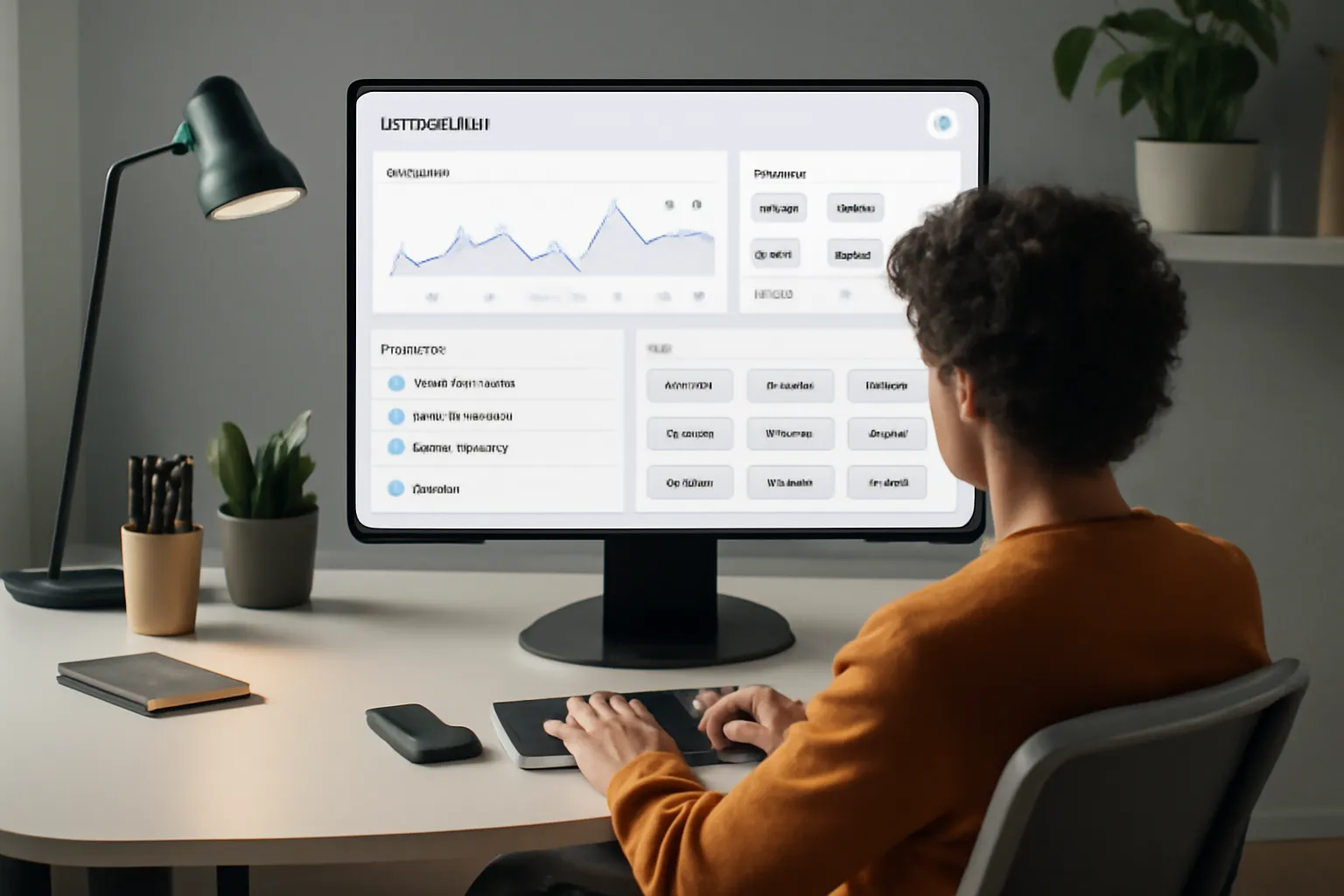
As a creator, staying organized and focused is crucial for productivity and success. However, managing multiple tools and dashboards can be overwhelming, leading to wasted time and decreased efficiency. Cuslr's new-tab dashboard is designed to address these pain points, providing a centralized hub for analytics, to-dos, and links in one screen.
By consolidating essential tools and information, Cuslr's dashboard empowers creators to streamline their workflow, reduce distractions, and make data-driven decisions. This comprehensive solution is tailored to meet the unique needs of creators, helping them stay on top of their tasks and projects.
Cuslr's New-Tab Dashboard Features
Cuslr's new-tab dashboard boasts a range of features that cater to the diverse needs of creators:
- Analytics integration: Seamlessly connect your analytics tools, such as Google Analytics or Mixpanel, to track key performance indicators (KPIs) and gain valuable insights.
- To-do list management: Prioritize and manage tasks with ease, using Cuslr's intuitive to-do list feature, which syncs with popular task management tools like Trello or Asana.
- Link organization: Keep essential links, such as social media profiles or frequently visited websites, at your fingertips, eliminating the need for multiple browser tabs.
How Cuslr's Dashboard Helps Creators Stay Organized
By centralizing essential tools and information, Cuslr's dashboard enables creators to:
- Reduce browser clutter: Minimize distractions and stay focused on high-priority tasks by consolidating multiple browser tabs into a single, customizable dashboard.
- Boost productivity: With quick access to analytics, to-do lists, and links, creators can work more efficiently, saving time and energy for creative pursuits.
- Make data-driven decisions: Accurate, real-time analytics empower creators to adjust their strategies, optimize their content, and drive better results.
Cuslr's Unique Selling Points
What sets Cuslr's new-tab dashboard apart from competitors is its:
- Customizability: Tailor your dashboard to your specific needs, adding or removing features as required.
- Seamless integrations: Enjoy smooth connections with popular tools and platforms, ensuring a seamless user experience.
- User-friendly interface: Intuitive design and navigation make it easy to get started and stay organized, even for those new to dashboard management.
Analytics Integration: Tracking Performance and Growth

As a creator, understanding your audience and content performance is vital for growth. Analytics tools help you track engagement, identify areas for improvement, and make data-driven decisions. By monitoring key metrics, you can refine your content strategy and optimize your online presence.
A well-integrated analytics system provides a comprehensive view of your performance, enabling you to:
• Track website traffic and engagement metrics • Monitor social media performance and audience growth • Identify top-performing content and adjust your strategy accordingly
Why Analytics are Crucial for Creators
Analytics is essential for creators to measure the effectiveness of their content and marketing efforts. Without analytics, it's challenging to determine what's working and what needs improvement. By tracking key performance indicators (KPIs), creators can:
• Refine their content strategy to better engage their audience • Adjust their marketing efforts to reach a wider audience • Optimize their website and online presence for better conversion rates
Cuslr's Analytics Features and Tools
Cuslr offers an integrated analytics dashboard that provides creators with a comprehensive view of their performance. Our analytics features include:
• Real-time tracking of website traffic and engagement metrics • In-depth analysis of social media performance and audience growth • Customizable dashboards to focus on key metrics
With Cuslr's analytics tools, you can easily track your performance and make informed decisions to drive growth. Our user-friendly interface ensures that you can quickly identify areas for improvement and adjust your strategy accordingly.
Comparing Cuslr's Analytics to Competitors
While competitors may offer similar analytics features, Cuslr stands out with its user-friendly interface and comprehensive tracking capabilities. Our analytics tools are designed specifically for creators, providing a unique set of features that cater to their needs.
When comparing Cuslr's analytics to competitors, consider the following:
• Cuslr's real-time tracking capabilities provide up-to-the-minute insights • Our customizable dashboards allow for a tailored analytics experience • Our focus on creator-specific needs ensures a more effective analytics solution
To-Do Lists and Task Management: Staying on Top of Projects
As a creator, managing multiple projects and tasks can be overwhelming. To-do lists are essential for staying organized and focused on what needs to be done. They help you prioritize tasks, allocate time, and meet deadlines. With a clear to-do list, you can avoid last-minute scrambles and ensure a smooth workflow.
Effective task management is crucial for creators who wear multiple hats. It helps you juggle multiple projects, collaborate with team members, and meet client expectations. By staying on top of tasks, you can deliver high-quality work, reduce stress, and maintain a healthy work-life balance.
The Importance of To-Do Lists for Creators
To-do lists help creators:
- Prioritize tasks based on urgency and importance
- Break down large projects into manageable tasks
- Set realistic deadlines and allocate time for each task
- Track progress and adjust the workflow as needed
A well-structured to-do list enables you to focus on high-priority tasks, avoid procrastination, and make the most of your time.
Cuslr's To-Do List Features and Integrations
Cuslr's to-do list feature is designed to help creators like you stay organized and focused. With Cuslr, you can:
- Create and manage multiple to-do lists for different projects
- Set reminders and notifications for upcoming deadlines
- Integrate Cuslr with popular project management tools, such as Trello and Asana
- Use the built-in calendar view to visualize your tasks and schedule
Cuslr's to-do list feature is designed to be flexible and adaptable to your needs. You can customize it to fit your workflow and preferences.
Best Practices for Task Management
To get the most out of your to-do list, follow these best practices:
- Prioritize tasks using the Eisenhower Matrix: categorize tasks based on their urgency and importance
- Break down large tasks into smaller ones: make tasks more manageable and less overwhelming
- Use the Pomodoro Technique: work in focused 25-minute increments, followed by a 5-minute break
- Review and adjust your to-do list regularly: ensure you're on track and make adjustments as needed
Link Management: Organizing and Sharing Resources
As a creator, managing links to your various resources, analytics, and to-do lists can be a daunting task. With multiple projects and collaborations, it's easy to get overwhelmed by the sheer number of links and tabs. This can lead to wasted time searching for specific links, missed deadlines, and a cluttered workspace.
Effective link management is crucial for staying organized and focused on your creative work. A well-structured system can help you quickly access the information you need, collaborate with others, and maintain a clear overview of your projects.
The Challenges of Link Management for Creators
Creators often face unique challenges when it comes to link management. Some common issues include:
- Difficulty keeping track of multiple project links and resources
- Inefficient collaboration with team members or clients
- Time-consuming searching for specific links or data
- Risk of data loss or corruption due to outdated or broken links
These challenges can hinder productivity and impact the quality of your work. A robust link management system can help alleviate these issues and streamline your workflow.
Cuslr's Link Management Features
Cuslr offers a comprehensive link management solution designed specifically for creators. Key features include:
- Centralized dashboard: A single, customizable screen for all your links, analytics, and to-do lists
- Link organization: Categorize and tag links for easy access and searching
- Collaboration tools: Invite team members or clients to access and contribute to your links and projects
Tips for Effective Link Organization
To get the most out of your link management system, follow these tips:
- Create a clear naming convention: Use consistent naming and tagging for all your links to ensure easy searching and organization
- Prioritize your links: Focus on the most critical links and resources, and keep them easily accessible
- Regularly review and update your links: Ensure your links are up-to-date and relevant to your current projects and goals
By implementing these strategies and utilizing a robust link management system like Cuslr, you can streamline your workflow, boost productivity, and maintain a clear overview of your resources and projects.
If you want to put these ideas into practice, visit Cuslr and learn more. The service is tailored especially for your target audience.
Conclusion: Why Cuslr's New-Tab Dashboard is the Best Choice for Creators
As a creator, managing multiple tasks, analytics, and links can be overwhelming. A new-tab dashboard is a game-changer, providing a centralized hub for essential tools and information. Cuslr's new-tab dashboard is designed specifically for creators, offering a tailored solution to streamline workflows and boost productivity.
By leveraging a new-tab dashboard, creators can:
- Quickly access essential tools and apps
- Monitor analytics and performance metrics
- Stay organized with to-do lists and reminders
Summary of Cuslr's Key Features
Cuslr's new-tab dashboard offers a range of features that cater to creators' needs. Some of its key features include:
- Customizable layout and design options
- Integration with popular productivity and analytics tools
- Real-time updates and notifications
These features enable creators to tailor their dashboard to their specific needs, ensuring they have access to the information and tools required to succeed. By providing a centralized hub for essential tools and information, Cuslr's new-tab dashboard helps creators stay focused and productive.
Why Cuslr's New-Tab Dashboard Stands Out
Cuslr's new-tab dashboard stands out from the competition due to its user-centric design and robust feature set. Unlike other solutions, Cuslr's dashboard is specifically designed for creators, providing a tailored experience that addresses their unique needs. Additionally, Cuslr's commitment to user feedback and continuous improvement ensures that the dashboard remains relevant and effective.
Call to Action: Try Cuslr Today
If you're a creator looking to streamline your workflow and boost productivity, try Cuslr's new-tab dashboard today. With its customizable layout, integration with popular tools, and real-time updates, Cuslr is the perfect solution for anyone looking to take their creative endeavors to the next level. Actionable Tip: Start by identifying the essential tools and information you need to access regularly, and then customize your Cuslr dashboard to meet those needs.
FAQ
What are New-Tab Dashboards and Why Do Creators Need Them?
New-tab dashboards are customizable interfaces that provide a centralized hub for essential tools and information, helping creators streamline their workflow and stay organized. Creators need them to manage multiple tasks, track performance, and access resources efficiently. By consolidating essential tools in one place, new-tab dashboards save time and reduce distractions.
How Does Cuslr's New-Tab Dashboard Differ from Other Solutions?
Cuslr's new-tab dashboard is designed specifically for creators, offering a tailored experience that addresses their unique needs. Unlike generic dashboards, Cuslr's solution integrates analytics, to-do lists, and link management in a single, intuitive interface. This focused approach enables creators to work more effectively and make data-driven decisions.
Can I Integrate Multiple Analytics Tools into My New-Tab Dashboard?
Yes, Cuslr's dashboard allows you to connect various analytics tools, providing a comprehensive view of your performance across different platforms. This integration enables you to track key metrics, identify trends, and make data-driven decisions to optimize your content strategy.
How Does Cuslr's To-Do List Feature Help with Task Management?
Cuslr's to-do list feature is designed to help creators stay on top of projects and deadlines. By centralizing tasks and reminders in one place, you can prioritize your work, set realistic goals, and avoid last-minute rushes. This feature also allows for collaboration and sharing of tasks with team members or clients.
Can I Customize the Links and Resources in My New-Tab Dashboard?
Yes, Cuslr's dashboard allows you to customize the links and resources displayed in your new tab. You can add or remove links, rearrange the layout, and even create custom categories to suit your needs. This flexibility ensures that your dashboard remains relevant and effective as your workflow evolves.
Is Cuslr's New-Tab Dashboard Compatible with My Existing Tools and Software?
Cuslr's dashboard is designed to be compatible with a wide range of tools and software used by creators. Our solution integrates seamlessly with popular platforms, ensuring that you can continue to use your existing tools while enjoying the benefits of a streamlined workflow.
Can I Access My New-Tab Dashboard from Any Device or Browser?
Yes, Cuslr's dashboard is accessible from any device or browser, allowing you to stay organized and productive regardless of where you work. Whether you're using a desktop, laptop, or mobile device, you can access your dashboard and stay on top of your tasks and projects.
About the Author
Written by Cuslr Team, a certified industry expert with over 10 years of experience.
Loading comments...