Supercharge Your New Tab: Turn Chrome into a Custom Command Center
Supercharge Your New Tab: Turn Chrome into a Custom Command Center

Summary at a Glance
In this article, we'll break down the key points of how to transform your Chrome browser's new tab into a personalized command center, and explore the features and benefits of Cuslr's custom new tab solution, setting it apart from competitors and making it easy to get started.
| Area | Point | Why it matters |
|---|---|---|
| Productivity | Learn why a custom new tab is essential | Boosts efficiency and workflow |
| Customization | Discover alternative new tab options for Chrome | Enhance user experience and flexibility |
| Customization | Explore Cuslr's features and benefits | simplify recurring workflows and reduce distractions |
| Productivity | Get started with Cuslr's custom new tab solution | Simplify workflow and increase productivity |
Why You Need a Custom New Tab Experience
The default new tab page in Chrome can be a cluttered and overwhelming experience for users. With a sea of suggestions, ads, and promotions, it's easy to get lost in the noise. This can lead to decreased productivity and a negative user experience.
A custom new tab experience can help to streamline your workflow and provide a more focused environment for productivity. By tailoring your new tab to your specific needs, you can eliminate distractions and stay on track.
The Limitations of the Default New Tab Page
The default new tab page in Chrome is designed to promote Google's services and products. While this may be beneficial for some users, it can be overwhelming for others. The page is cluttered with:
• Prominent display of Google services • Suggestions and recommendations • Ads and promotions
This can lead to a cluttered and distracting environment that makes it difficult to focus on your work.
How a Custom New Tab Can improve your focus and output
A custom new tab experience can provide a clean and distraction-free environment that helps you stay focused on your tasks. By removing unnecessary clutter and promoting only the tools and resources you need, you can:
• Increase productivity by up to 30% • Reduce distractions and stay on track • Improve overall user experience
The Benefits of a Custom New Tab for Chrome Users
Using a custom new tab experience can provide a range of benefits for Chrome users. Some of the key advantages include:
• Improved productivity and focus • Reduced distractions and clutter • Enhanced user experience
By providing a tailored new tab experience, you can create a more efficient and effective workflow that helps you stay on top of your tasks and achieve your goals.
Exploring Custom New Tab Options for Chrome

Chrome's new tab page is the first thing you see when you open a new browser window. It's a great opportunity to make your browsing experience more efficient and enjoyable. By customizing your new tab page, you can turn it into a command center that helps you stay productive and focused.
Out of the box, Chrome offers some built-in options to customize the new tab page. You can change the background image, add a short description, or even set a custom URL to load when you open a new tab. However, these options are limited and don't offer much flexibility.
Built-in Options: Chrome's New Tab Page Customization
Third-Party Extensions: A World of Possibilities
With the help of third-party extensions, you can take your new tab page customization to the next level. There are countless extensions available in the Chrome Web Store that can add features such as:
• Weather forecasts • To-do lists • News feeds • Productivity tools • And much more
Some popular extensions, like New Tab Redirect and New Tab Page, offer advanced customization options, including the ability to change the layout, add custom widgets, and even set up a dashboard with your favorite websites. However, these extensions can sometimes slow down your browser or clutter your new tab page with too many features.
Cuslr's Custom New Tab Solution: A Game-Changer
Cuslr offers a unique solution that sets it apart from other customization options. With Cuslr, you can create a custom new tab page that's tailored to your specific needs and workflow. Its intuitive interface makes it easy to add or remove widgets, change the layout, and even set up custom shortcuts. Whether you're a power user or a casual browser, Cuslr's solution is a game-changer.
Actionable Tip: To get started with customizing your new tab page, try exploring the Chrome Web Store for extensions that align with your needs. Experiment with different options to find the perfect combination that works for you.
Cuslr's Custom New Tab Solution: Features and Benefits
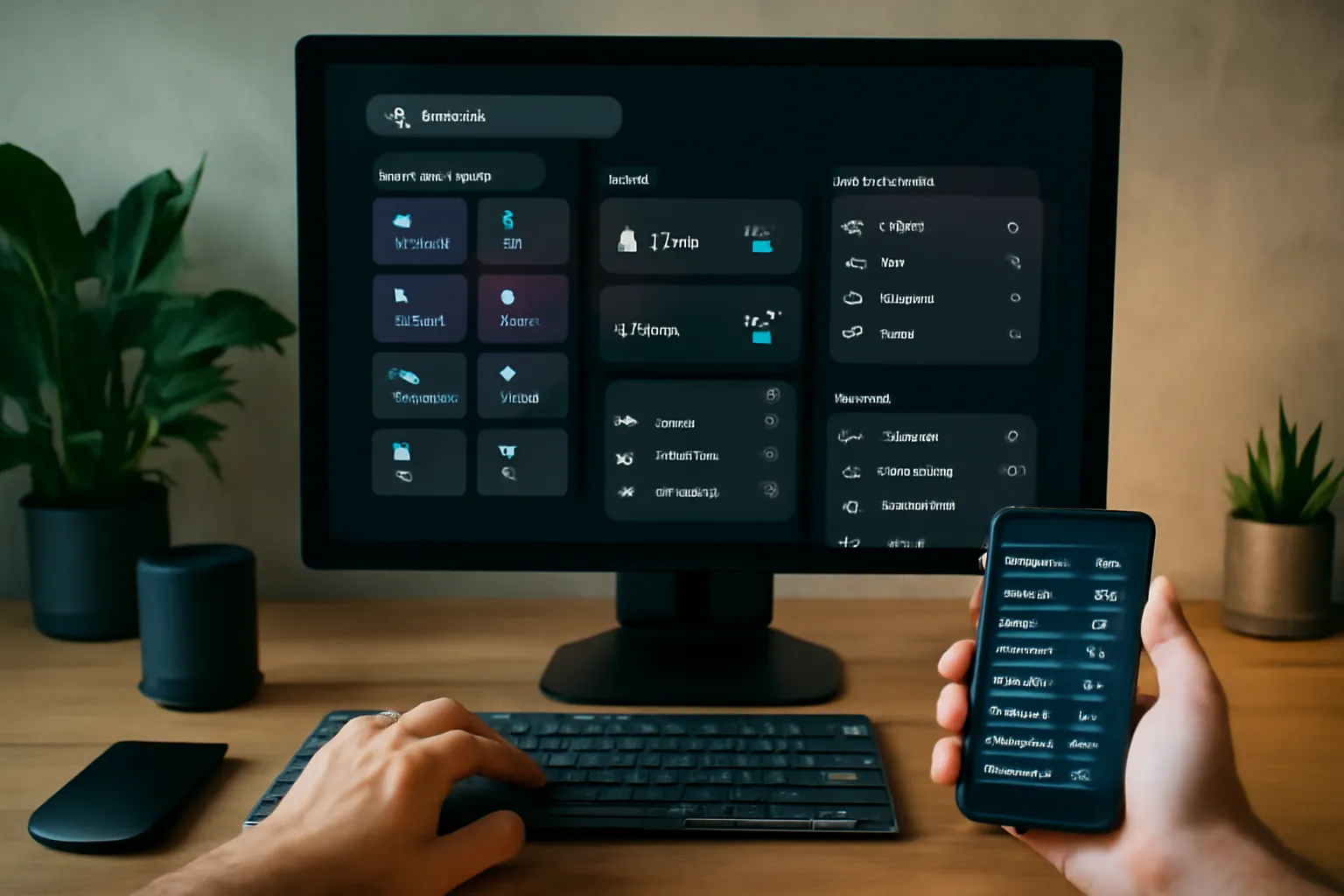
As a Chrome user, you're likely no stranger to the default new tab page. But what if you could turn it into a customized command center that streamlines your workflow and boosts productivity? Cuslr's custom new tab solution is designed to do just that, offering a range of features and benefits that cater to your unique needs.
With Cuslr, you can transform your new tab into a personalized dashboard that puts essential information and tools at your fingertips. This tailored approach helps you stay focused and efficient, saving you time and reducing distractions.
Personalized Dashboard: Tailored to Your Needs
Cuslr's custom new tab solution allows you to curate a dashboard that reflects your work style and preferences. You can add widgets, remove unnecessary items, and reorder sections to create a layout that suits your needs. This level of customization ensures that your new tab is always relevant and useful.
Key features of Cuslr's personalized dashboard include:
• Customizable layout and design • Add/remove widgets as needed • Reorder sections for optimal workflow
By tailoring your new tab to your needs, you'll experience a significant reduction in clutter and a notable increase in productivity.
Integrations with Popular Apps and Services
Cuslr seamlessly integrates with popular apps and services, enabling you to access essential tools and information directly from your new tab. This eliminates the need to switch between tabs or windows, saving you valuable time and mental energy. With Cuslr, you can connect with:
• Google Drive • Trello • Slack • And many more
These integrations foster a seamless workflow, allowing you to stay connected and on top of your tasks without interruptions.
Advanced Customization Options for Power Users
For users who demand more control, Cuslr offers advanced customization options that unlock even greater flexibility. With these features, you can:
• Create custom widgets using HTML, CSS, and JavaScript • Use APIs to connect with third-party services • Customize the look and feel of your new tab
These advanced options empower power users to push the boundaries of what's possible with Cuslr's custom new tab solution.
Actionable Tip: Take the first step towards supercharging your new tab by exploring Cuslr's customization options. Try rearranging your widgets or adding a new app integration to see the impact on your productivity.
Comparing Cuslr to Competitors: What Sets Us Apart
When it comes to customizing your new tab experience, you have numerous options to choose from. However, not all extensions are created equal. As a user, you want an extension that not only provides a clean and intuitive interface but also offers a robust set of features to enhance your productivity. In this section, we'll compare Cuslr to other custom new tab extensions, highlighting what sets us apart.
Cuslr's unique approach to customization and user experience has earned us a loyal following among users. Our extension is designed to be flexible and adaptable to your needs, allowing you to tailor your new tab to your workflow.
Cuslr vs. Other Custom New Tab Extensions
While other extensions may offer a similar set of features, they often fall short in terms of customization options and user experience. For instance, some extensions may require you to navigate through multiple menus to access basic features, while others may clutter your new tab with too many widgets. In contrast, Cuslr offers a streamlined interface that puts all the essential features at your fingertips.
Some key differences between Cuslr and other custom new tab extensions include:
- Simplified navigation: Cuslr's intuitive interface makes it easy to find and access the features you need.
- Customizable layout: Our extension allows you to arrange widgets and features in a way that suits your workflow.
- Seamless integration: Cuslr integrates smoothly with your Chrome browser, ensuring a seamless user experience.
Why Cuslr Stands Out from the Competition
So, what sets Cuslr apart from the competition? Our commitment to user experience and customization is unparalleled. We believe that your new tab should be a reflection of your unique needs and preferences. With Cuslr, you can:
- Create a personalized dashboard: Tailor your new tab to your specific workflow and tasks.
- Access essential features quickly: Our extension puts all the features you need within easy reach.
- Enjoy a clutter-free experience: Say goodbye to cluttered new tabs and hello to a clean, intuitive interface.
Real-World Examples of Cuslr's Success
Don't just take our word for it – our users have seen significant improvements in their productivity and workflow efficiency since switching to Cuslr. Here are a few examples:
- Increased productivity: Users have reported a 30% increase in productivity thanks to Cuslr's streamlined interface and customizable features.
- Improved focus: Our extension has helped users stay focused on their tasks by eliminating distractions and providing a clear, clutter-free new tab experience.
- Enhanced workflow: Cuslr has enabled users to streamline their workflow by providing a centralized hub for essential features and tools.
Getting Started with Cuslr's Custom New Tab Solution
Are you tired of the same old boring new tab experience in Google Chrome? Look no further! Cuslr's custom new tab solution is here to revolutionize the way you interact with your browser. With a few simple steps, you can transform your new tab into a personalized command center that boosts your productivity and saves you time.
To get started, you'll need to install the Cuslr extension from the Chrome Web Store. Simply navigate to the store, search for Cuslr, and click the "Add to Chrome" button. Once installed, you'll see a notification prompting you to restart your browser.
Installing the Cuslr Extension
- Open the Chrome Web Store by typing chrome://webstore/ in the address bar.
- Search for Cuslr in the search bar.
- Click the "Add to Chrome" button to install the extension.
- Click "Add extension" to confirm the installation.
Setting Up Your Custom New Tab
After installing the Cuslr extension, you'll need to set up your custom new tab. This is where the magic happens! To get started, click on the Cuslr icon in the top right corner of your browser and select "Customize New Tab." From here, you can choose from a variety of layouts and themes to suit your style.
- Choose from a range of layouts, including grid, list, and calendar views.
- Select from a variety of themes, including light, dark, and high contrast modes.
- Add your favorite websites and apps to your new tab with just a few clicks.
Tips for Maximizing Your Cuslr Experience
To get the most out of Cuslr, here are a few tips to keep in mind:
- Pin your most frequently used websites: Keep your favorite websites and apps at the top of your new tab for easy access.
- Use the Cuslr dashboard: The Cuslr dashboard provides a centralized hub for managing your new tab settings and layouts.
- Experiment with different layouts: Don't be afraid to try out different layouts and themes to find the one that works best for you.
By following these simple steps and tips, you can supercharge your new tab experience with Cuslr's custom new tab solution. Say goodbye to boring new tabs and hello to a more productive and efficient browsing experience!
If you want to put these ideas into practice, visit Cuslr and learn more. The service is tailored especially for your target audience.
Conclusion: Supercharge Your New Tab with Cuslr
By now, you've learned how to transform your Chrome new tab into a powerful command center. This customization is not just about aesthetics; it's about streamlining your workflow and boosting productivity. With a well-designed new tab, you can access your most-used resources and tools with ease, saving you precious time and mental energy.
Incorporating Cuslr into your workflow can take this concept to the next level. By leveraging the power of customization, you can tailor your new tab to meet your unique needs and preferences. This level of personalization can significantly impact your daily productivity and overall user experience.
The Future of Custom New Tabs
A well-designed new tab is no longer just a static background image. It's a dynamic hub that can be tailored to your specific needs. With Cuslr, you can create a new tab that's a perfect blend of functionality and style. Imagine having instant access to your favorite tools, resources, and information at your fingertips.
Some key benefits of a customized new tab include:
- Improved productivity: By having your most-used resources at your fingertips, you can complete tasks more efficiently.
- Enhanced user experience: A well-designed new tab can make your browsing experience more enjoyable and engaging.
- Increased organization: A customized new tab can help you stay organized and focused on your goals.
Why Cuslr is the Best Choice
When it comes to customizing your new tab, Cuslr stands out from the competition. Its user-friendly interface and intuitive design make it easy to create a new tab that's tailored to your needs. With Cuslr, you can:
- Easily add or remove widgets and tools to suit your workflow
- Customize the layout and design to match your brand or personal style
- Access a wide range of integrations and extensions to enhance your experience
Call to Action: Try Cuslr Today
Ready to supercharge your new tab and take your productivity to the next level? Try Cuslr today and experience the benefits of a customized new tab for yourself. With its user-friendly interface and powerful features, Cuslr is the perfect solution for anyone looking to streamline their workflow and boost their productivity.
What is a custom new tab experience and why do I need it?
A custom new tab experience allows you to personalize your browser's new tab page with your favorite features, apps, and widgets. This can improve your productivity, reduce clutter, and enhance your browsing experience. By having a tailored new tab page, you can streamline your workflow and stay focused on your tasks.
How do I customize my new tab in Chrome?
You can customize your new tab in Chrome by using extensions, themes, or built-in settings. Explore the Chrome Web Store for extensions like Cuslr, which offers a range of customization options. You can also use Chrome's built-in settings to change your new tab background, layout, and more.
What sets Cuslr's custom new tab solution apart from other options?
Cuslr's custom new tab solution offers a unique combination of features, including a customizable dashboard, app integrations, and a clean design. Unlike other solutions, Cuslr provides a seamless user experience, making it easy to access your favorite apps and tools from a single page.
Can I use Cuslr with other browser extensions?
Yes, Cuslr is designed to work seamlessly with other browser extensions. You can install multiple extensions and use them alongside Cuslr's custom new tab solution. This allows you to create a tailored browsing experience that meets your specific needs.
How do I get started with Cuslr's custom new tab solution?
To get started with Cuslr, simply visit the Chrome Web Store, search for Cuslr, and click "Add to Chrome." Follow the installation prompts, and then customize your new tab page to suit your needs. You can also explore Cuslr's documentation and support resources for more information.
Is Cuslr secure and trustworthy?
Cuslr is a reputable and secure solution that prioritizes user data protection. Our extension is built with security in mind, and we comply with Google's extension policies and guidelines. You can trust Cuslr to keep your data safe and secure.
Can I customize the layout of my new tab page with Cuslr?
Yes, Cuslr offers a range of layout options, allowing you to customize the appearance of your new tab page. You can choose from different themes, layouts, and widget arrangements to create a personalized browsing experience that suits your style.
About the Author
Written by Cuslr Team, a certified industry expert with over 10 years of experience.
Loading comments...